Features
Everything VolumeLens does
A storage analyser for people who want to understand their disk before changing it. Free covers scanning, browsing, search and cleanup. Pro adds explanation and export.
01
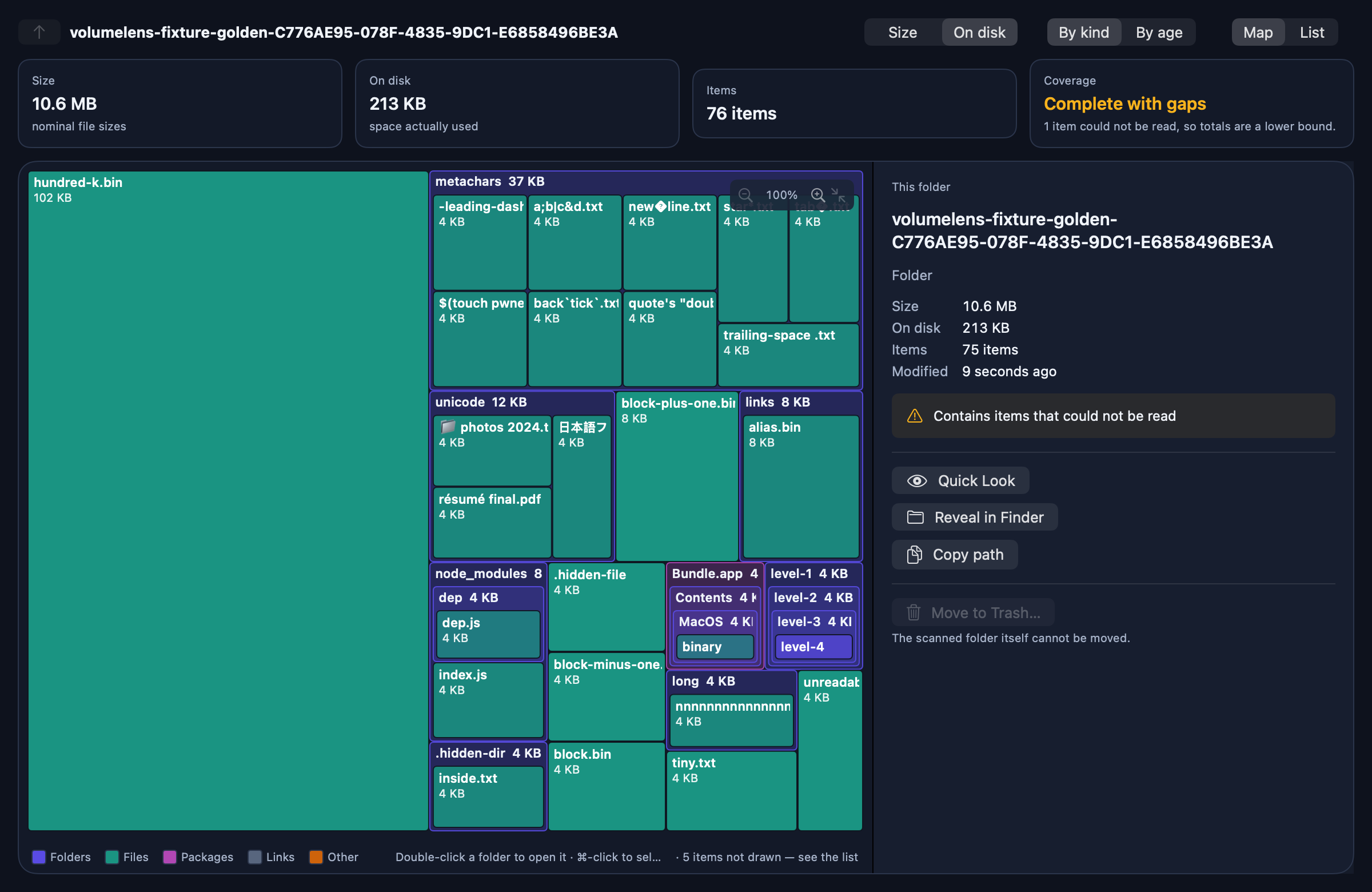
Nested storage map
Rectangles sized by the space they use, with folders drawn as containers holding their own contents.
- Four levels of nesting at once, so you see structure instead of a flat wall of boxes
- Hover any cell for its name, kind, size, item count and parent
- Double-click a folder to make it the root; breadcrumbs walk back up
- Pinch or ⌘+ / ⌘− to zoom, then scroll to pan around a crowded folder
- ⌘-click to select several items and act on them together
- Colour by kind or by age, and switch between nominal size and space used on disk
- A deterministic layout: the same folder always draws the same way
- A sidebar with one-click scan targets — home folder, startup disk, a volume — each still through the system picker, because in the sandbox the picker is the permission
- A volume gauge: total, used, and available as macOS reports it for important use, with purgeable space named rather than counted as free
02
Filters that dim, never hide
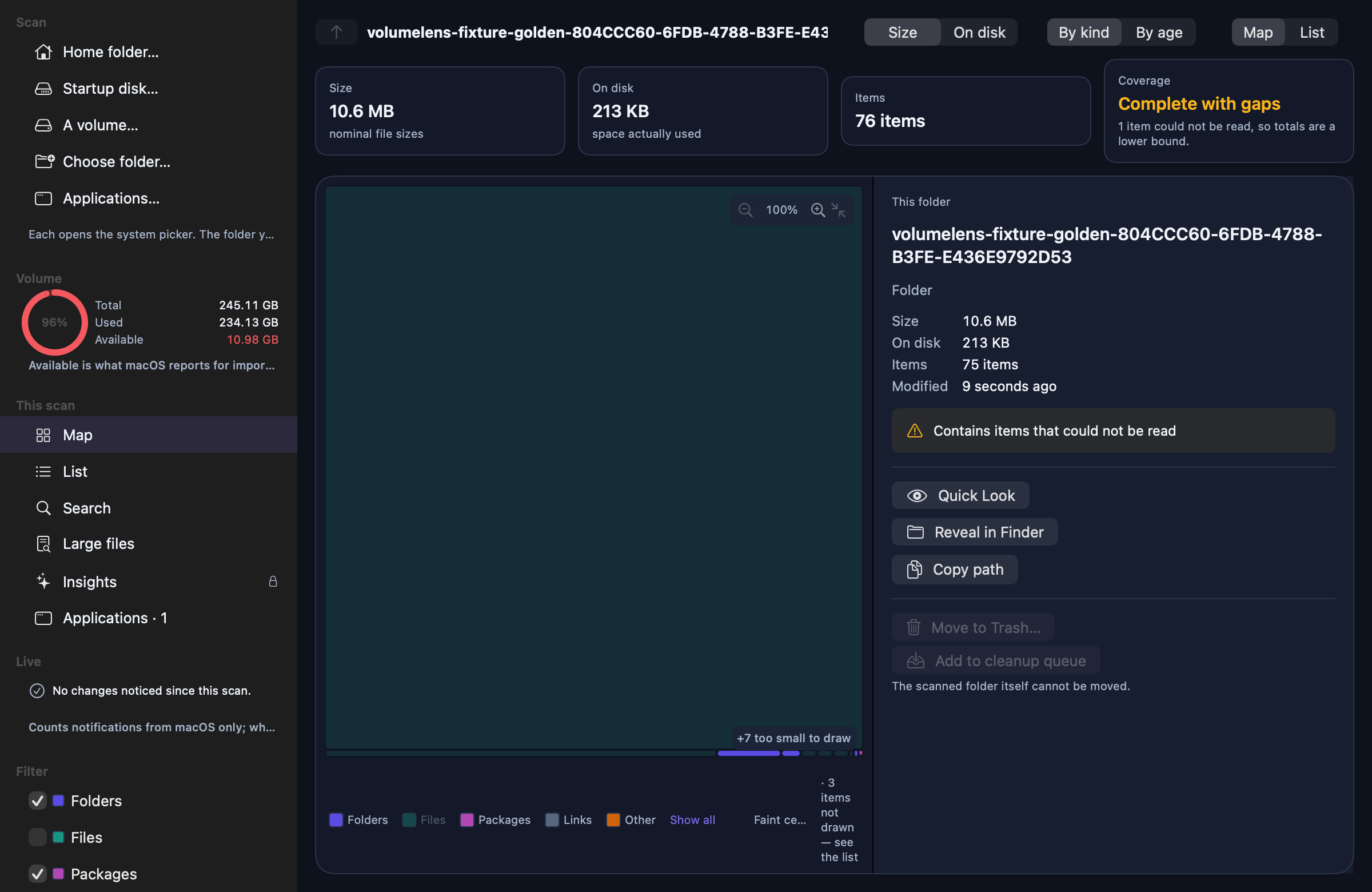
Fade what you are not looking for out of the map and the list. The layout, the totals and the item counts do not change, because a byte that is not drawn is a byte you cannot account for.
- Click a kind in the legend, or tick it in the sidebar, to fade folders, files, packages, links or other items
- Keep only what Insights recognises — node_modules, DerivedData, Docker, caches — and the folders that contain it (Pro)
- Faint cells keep their place and size; the legend says so while a filter is on
- One click shows everything again
03
Four palettes, one honest map
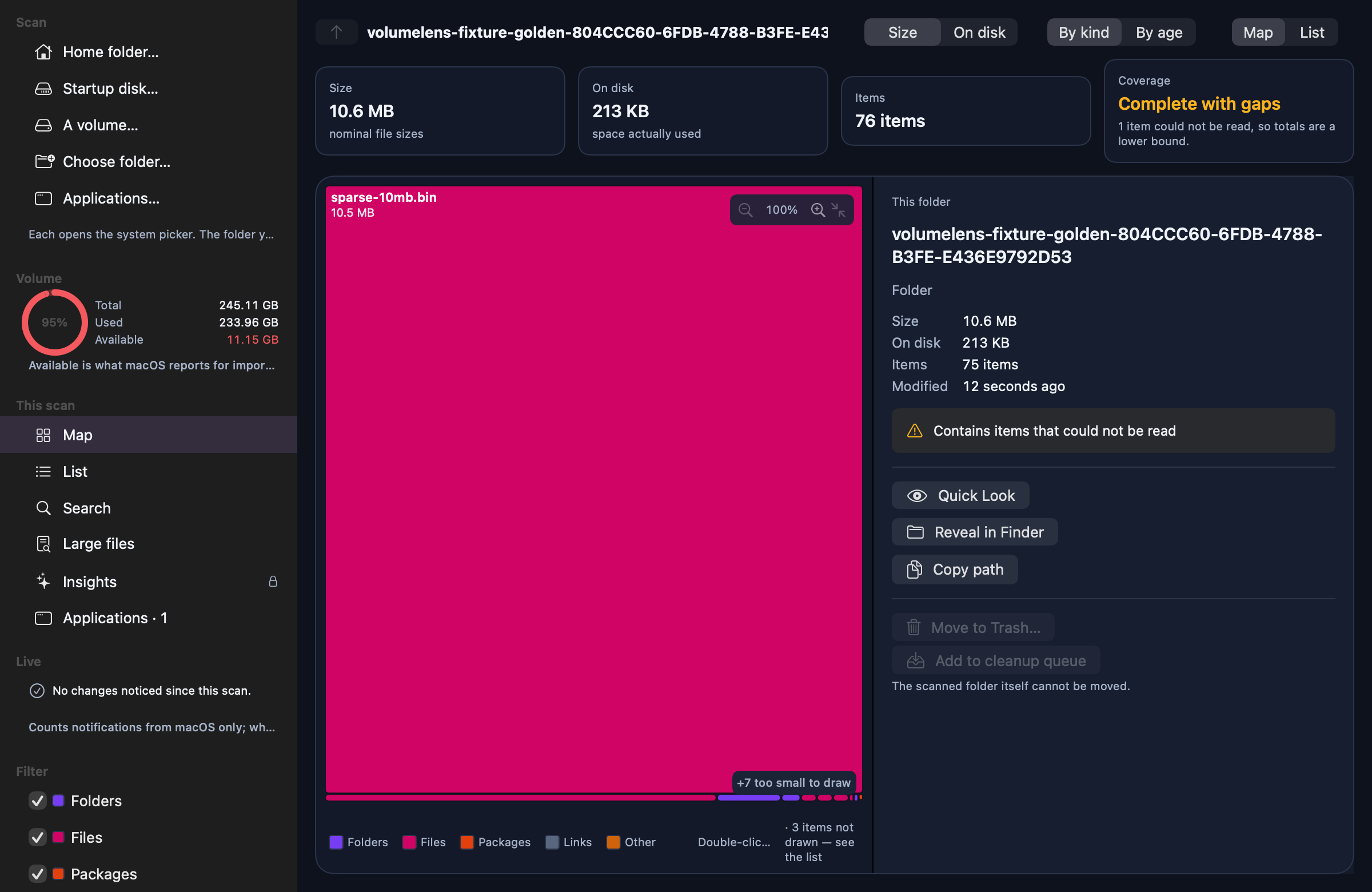
Choose how the map is coloured. The palette changes the category colours and the accent only; appearance still follows the system.
- Classic: indigo folders, teal files — the original
- Ember: the app icon's plum, magenta and amber
- Graphite: greys only, so size is the only signal
- Spectrum: five distinct hues for crowded folders
- Every palette passes the same WCAG contrast test in light and dark; cell labels pick white or ink automatically
04
A cleanup queue
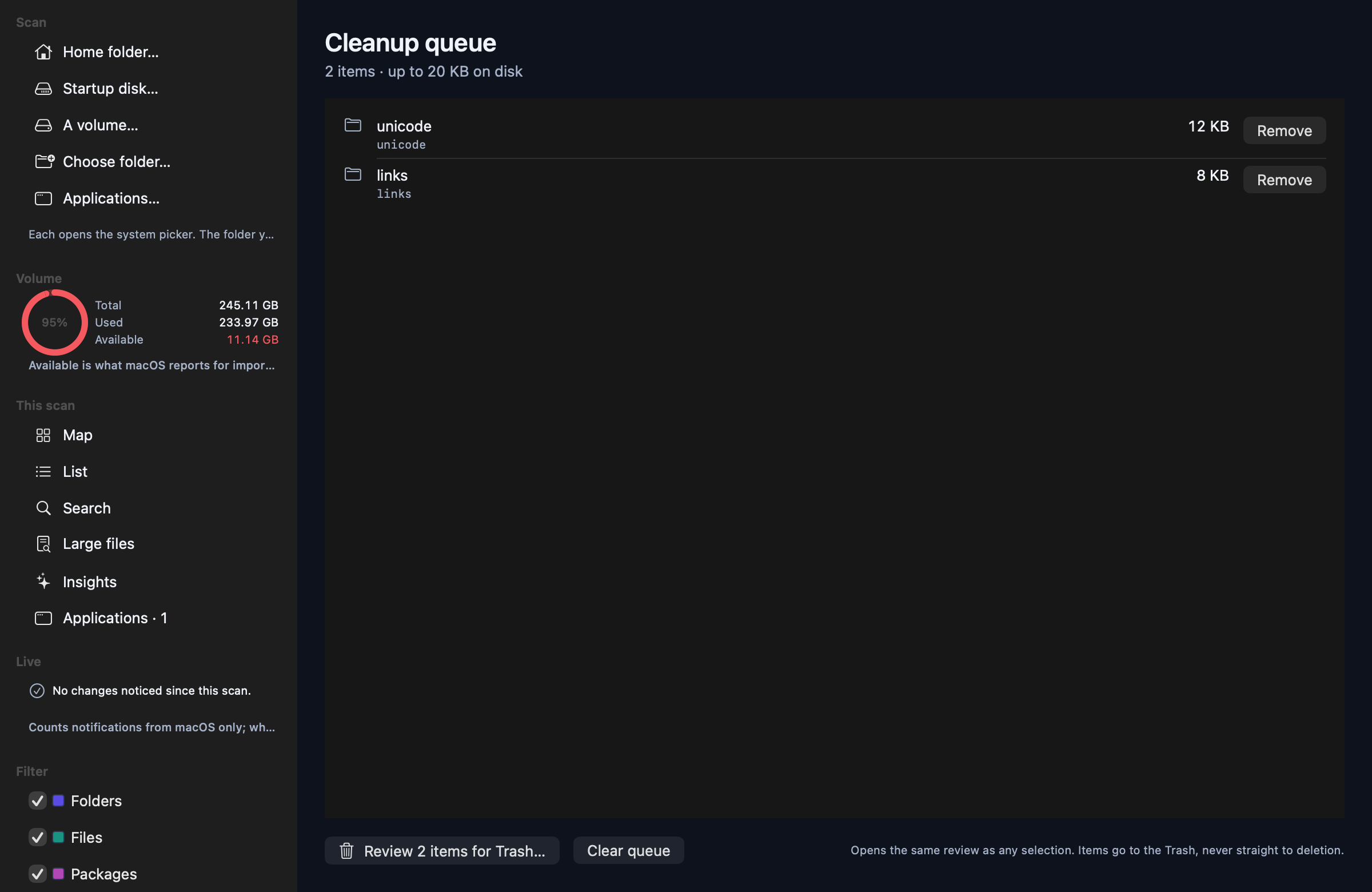
Collect items from different folders, screens and searches, then review them together — instead of one selection at a time.
- Add from the map, the list, the details panel, Large files or Insights
- The queue lives in the sidebar and the toolbar with a count; ⌘5 opens it
- Review sends the whole queue through the same plan, re-check and Move to Trash as any selection — nothing about safety changes
- The queue belongs to one scan: it resets when you open another snapshot, and clears after a cleanup
05
An uninstaller that reviews before it moves
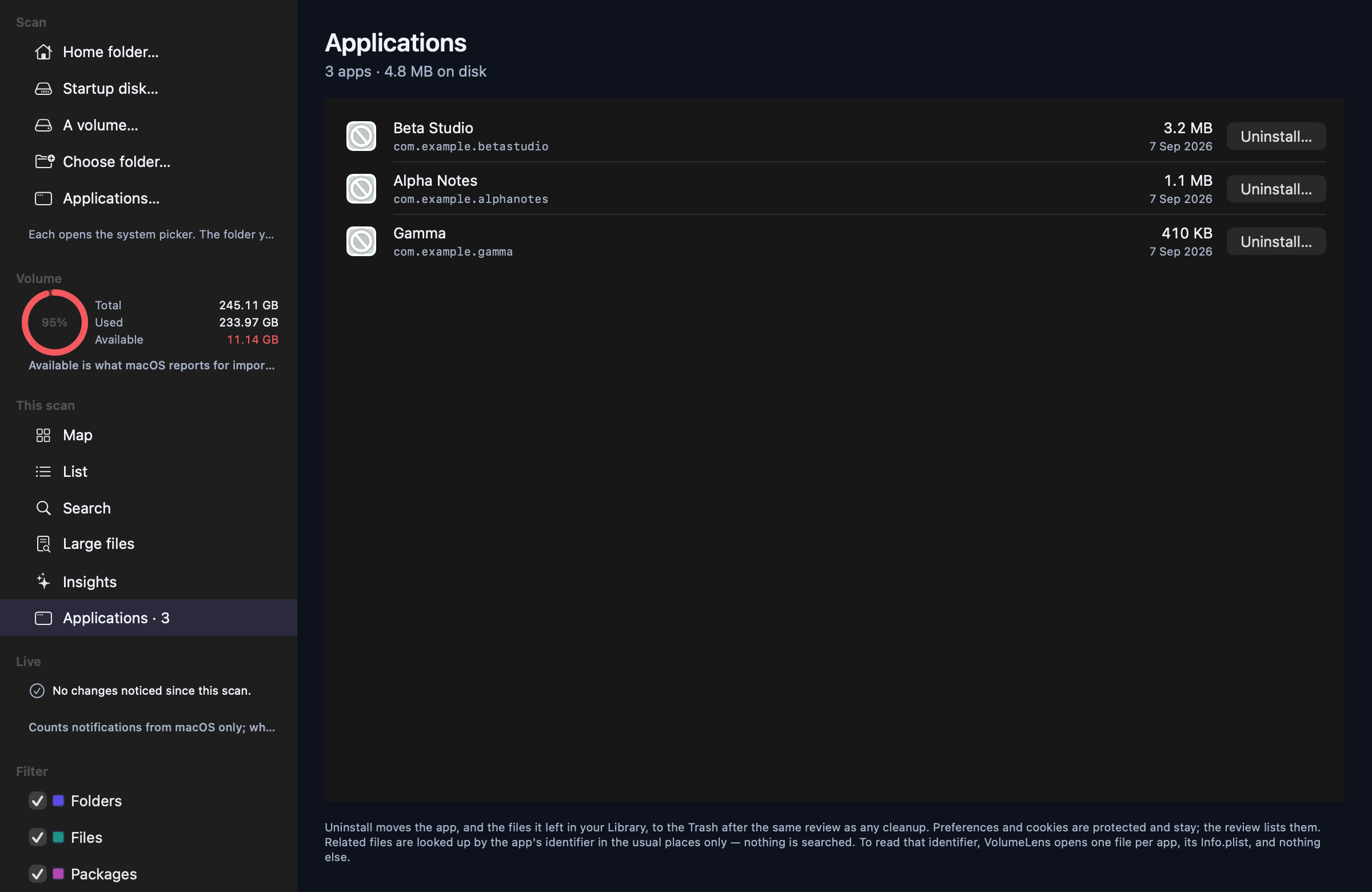
List the apps on your Mac, largest first, and remove one together with the files it left in your Library — through the same review as every other cleanup.
- Applications… in the sidebar lists what a scan found: name, identifier, size, date, and whether it is running
- Uninstall checks the exact places apps leave data — Application Support, Caches, Containers, Logs, Saved Application State, WebKit, HTTPStorages — by the app's identifier. Nothing is searched by pattern
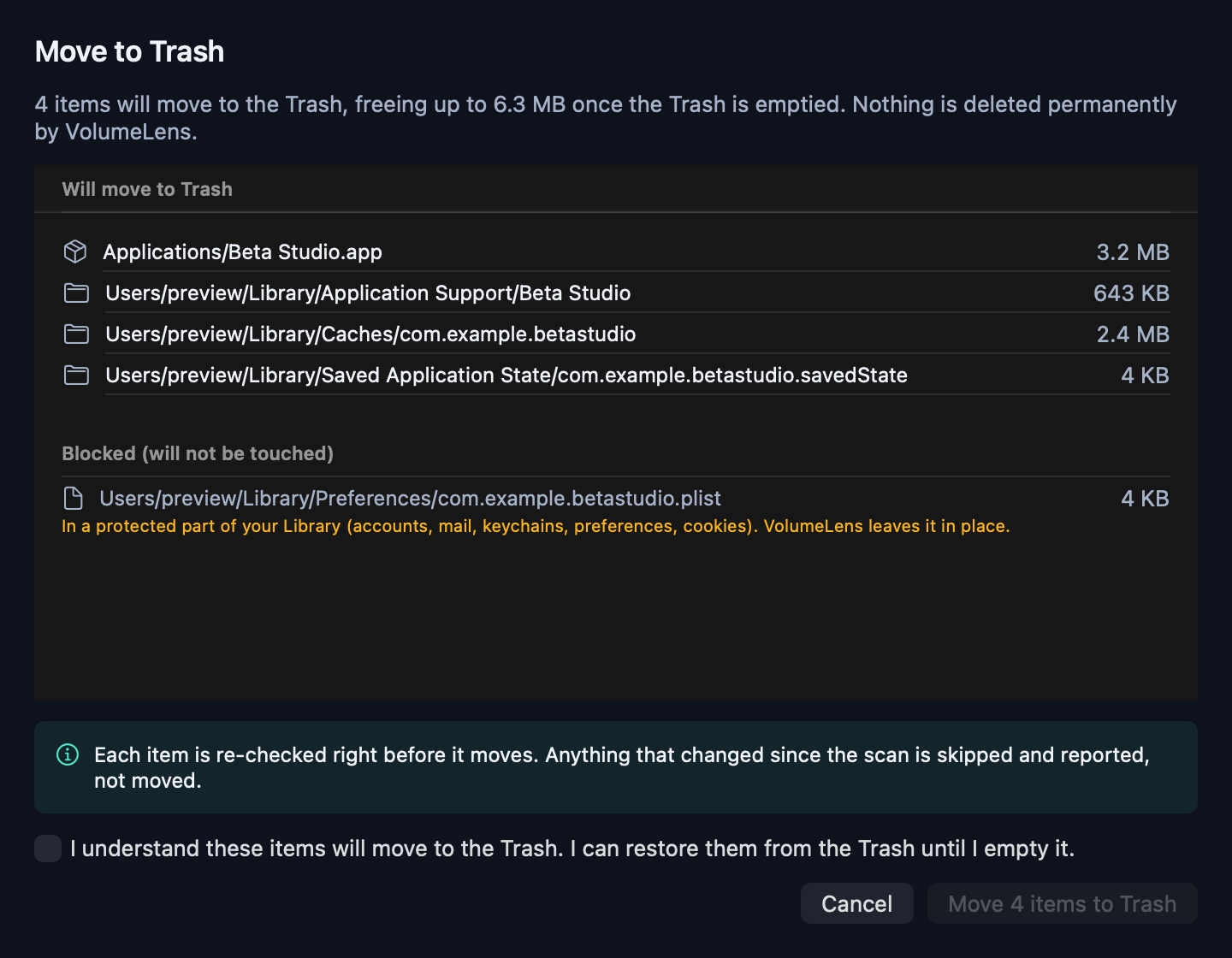
- Then the ordinary review sheet: what will move, what is blocked and why. Preferences and cookies are protected and stay, and the sheet says so
- Running apps get a polite Quit instead; Apple's own apps and VolumeLens itself are never offered; apps installed for all users are flagged, because macOS will want Finder for those
- To read an app's identifier, VolumeLens opens one file per app — its Info.plist — on this screen only. The scanner itself still never opens a file
06
Live, for storage only
While a scan is open, VolumeLens keeps the volume gauge current and tells you when the folder has changed since its snapshot.
- The gauge re-reads total, used and available every few seconds
- A change watcher counts macOS change notifications under the scanned folder and offers a rescan when there are any
- It counts. It never reads what changed, and it ignores the app's own writes
- No CPU, memory or network figures anywhere — VolumeLens measures storage and says so
07
List view with sortable columns
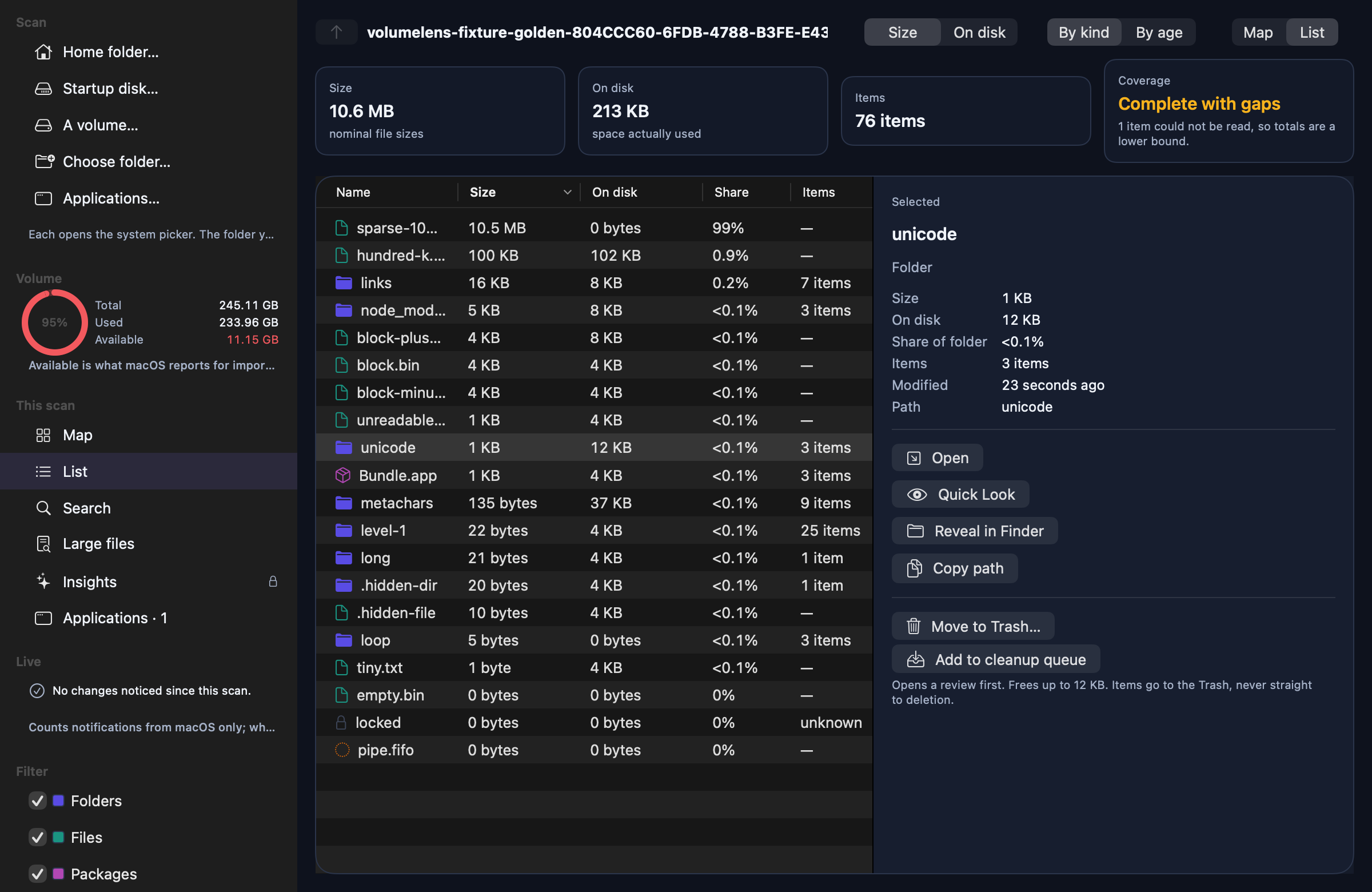
The same snapshot as a table, for when reading beats looking.
- Sort by name, size, space on disk, item count or date modified
- A Notes column that spells out every caveat: hard link, sparse, compressed, unreadable, excluded
- Multi-select with the same actions as the map
- Every row carries a full spoken description for VoiceOver
08
Search inside a snapshot
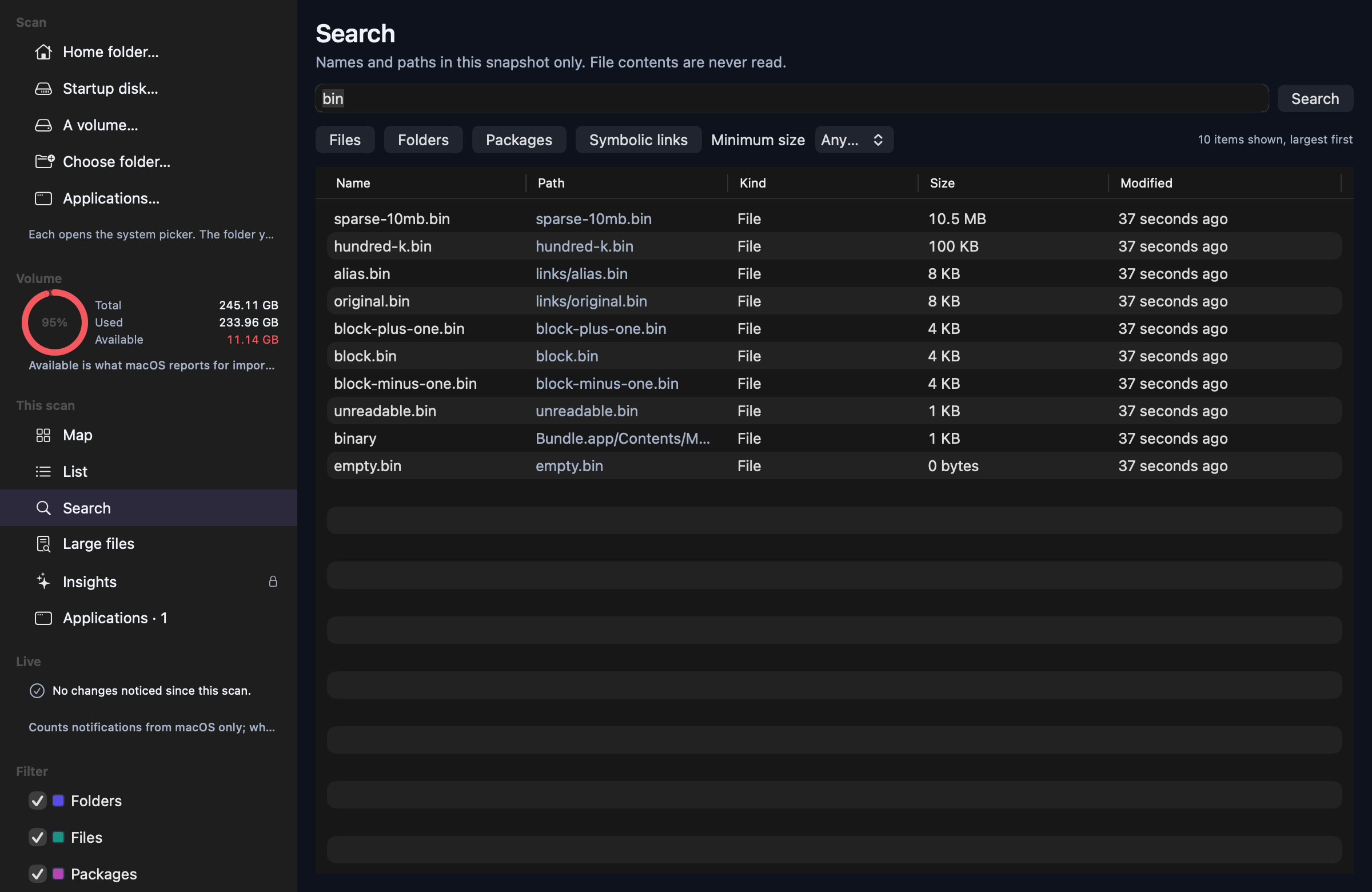
Find a name or path across everything you scanned, without touching the disk again.
- Matches names and paths; accents and case are ignored, so "resume" finds "Résumé"
- Filter by kind and minimum size
- Results largest first; double-click to show an item in the map
- Searches a local database — file contents are never read or indexed
09
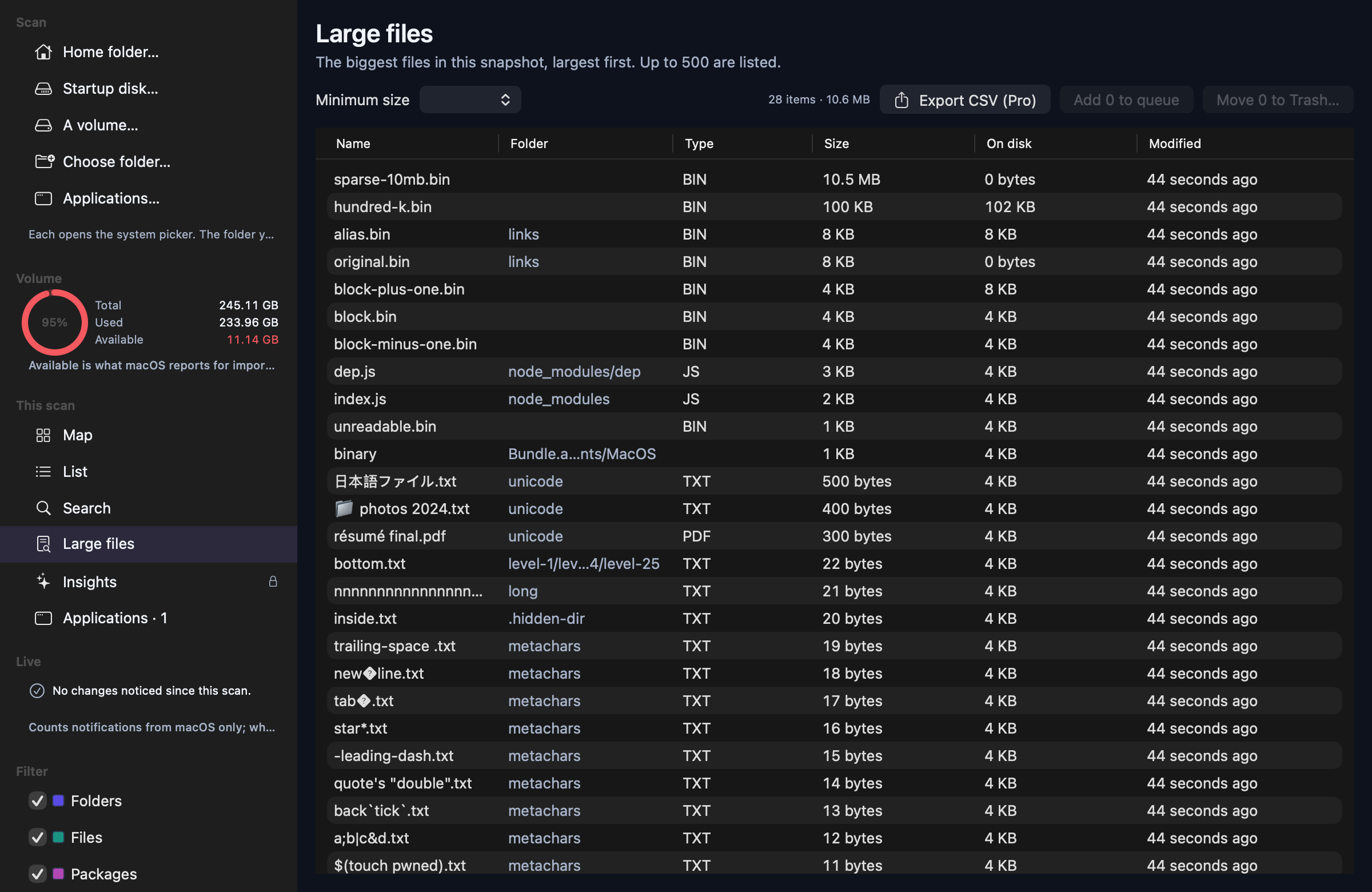
Large files
The biggest files in the scan, in one list, with a size floor you choose.
- Thresholds from 1 MB to 1 GB
- Shows the containing folder, type, both size measures and the date
- Select any number and send them through the same review sheet
- Export the list to CSV with Pro
10
Insights
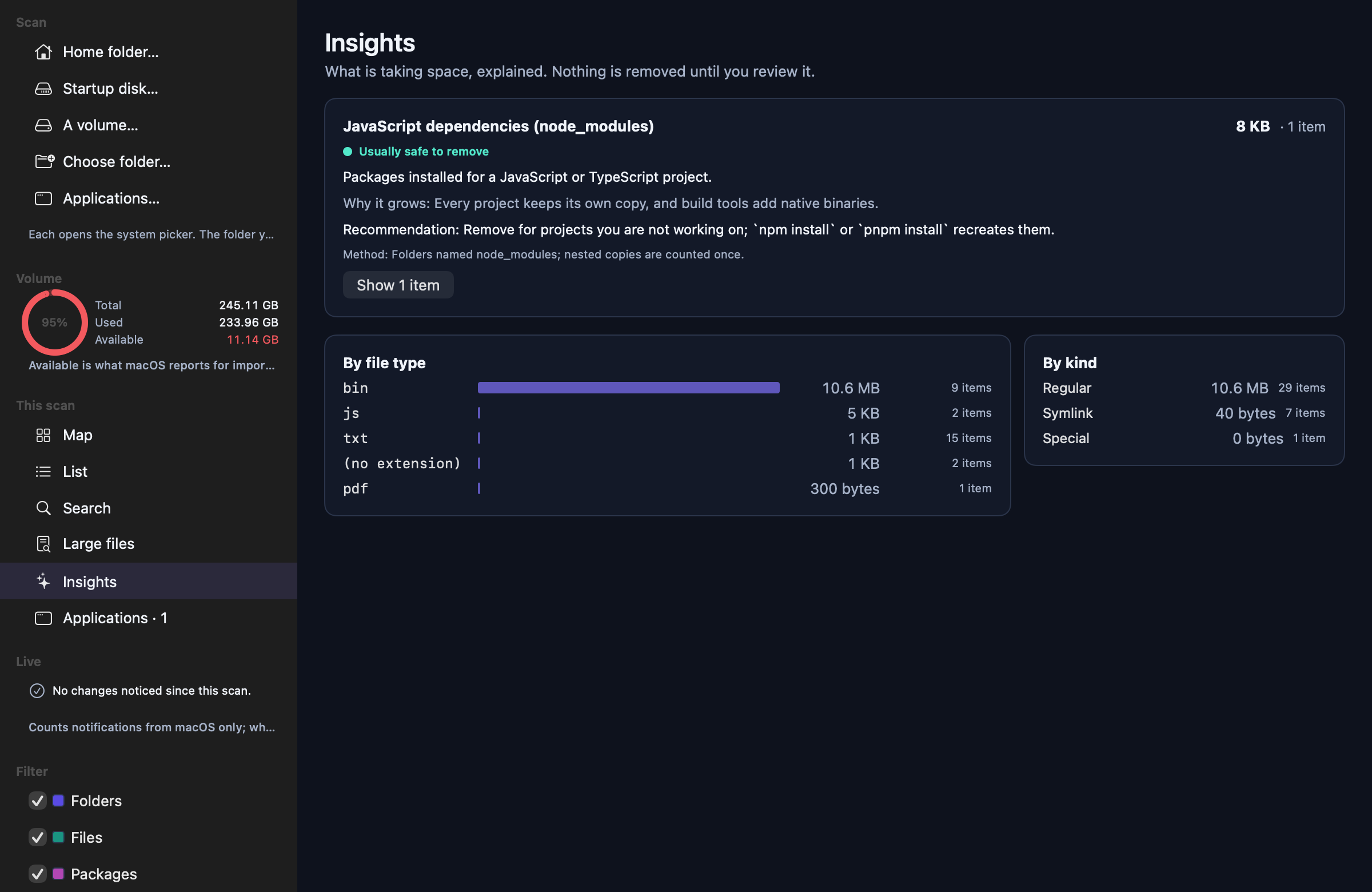
ProA pass over the snapshot that recognises the things that usually fill a Mac, and explains each one.
- Dependency folders (node_modules), build output and Git history
- Xcode DerivedData, archives, iOS device support and simulator devices
- Caches for applications, Homebrew, npm, pnpm, Yarn, pip, Cargo, Gradle, Maven and CocoaPods
- Docker Desktop's disk image and virtual machine disks
- Installers over 50 MB, video over 500 MB and large items in Downloads
- Each card gives what it is, why it grows, a recommendation, how it was matched and a risk level
- Nested matches are counted once, so node_modules inside node_modules is not double-counted
- High-risk items are explained but never offered for one-click removal
11
Cleanup you can trust
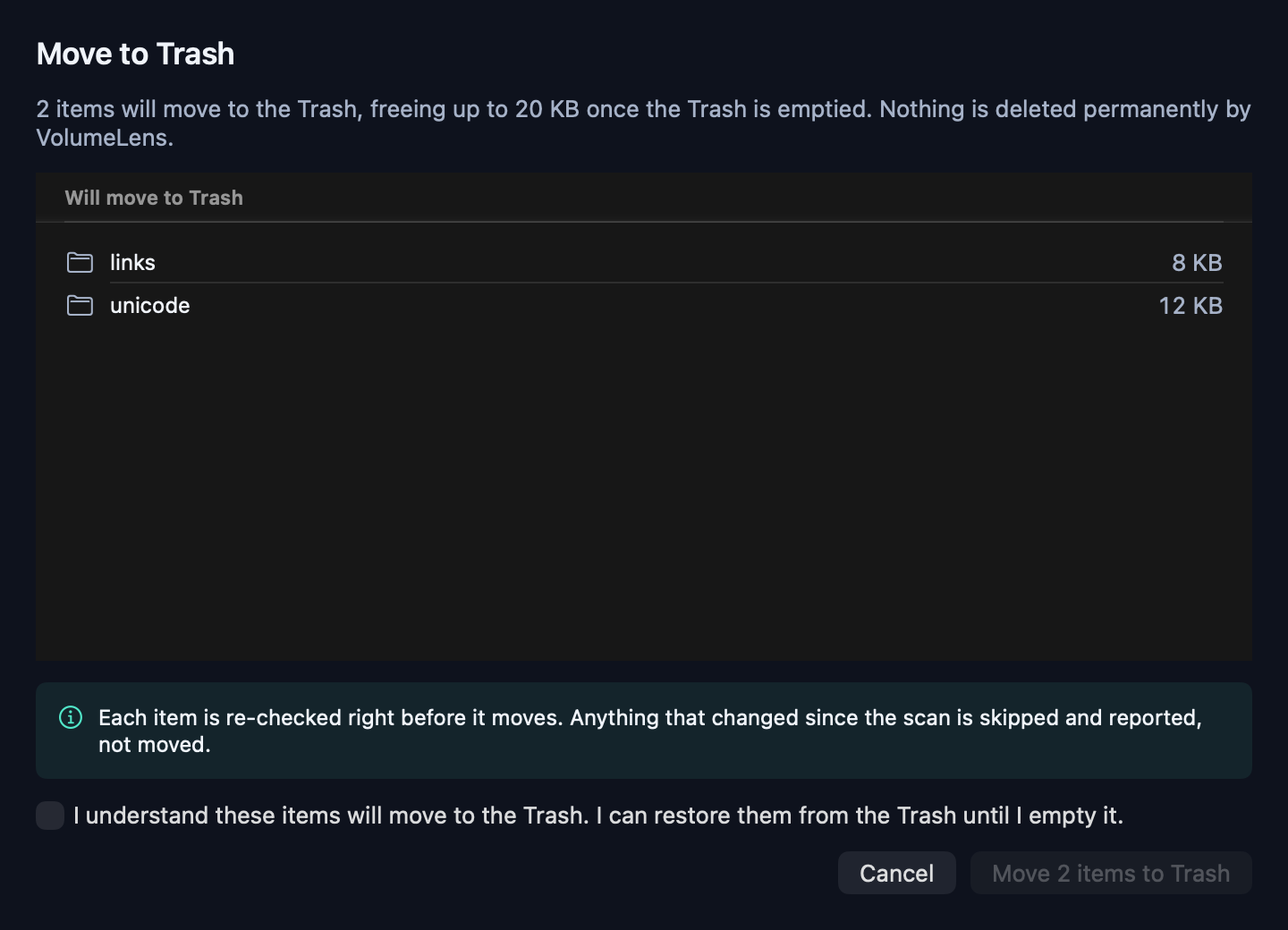
One destructive action, wrapped in as many checks as it deserves.
- A review sheet lists exactly what will move, what is blocked and why
- Items already inside a selected folder are collapsed, so nothing counts twice
- Each item is re-read immediately before it moves; anything that changed is refused and reported
- Trash only — VolumeLens has no permanent delete
- System paths, applications, sensitive Library folders and package interiors are blocked
- Every outcome is written to a local log you can read in History
12
Honest accounting
Storage numbers are full of traps. VolumeLens shows the traps instead of hiding them.
- Hard links are counted once, and the duplicate name says so
- Sparse and filesystem-compressed files are flagged where size and disk usage diverge
- Symbolic links are never followed, so a loop cannot inflate a total
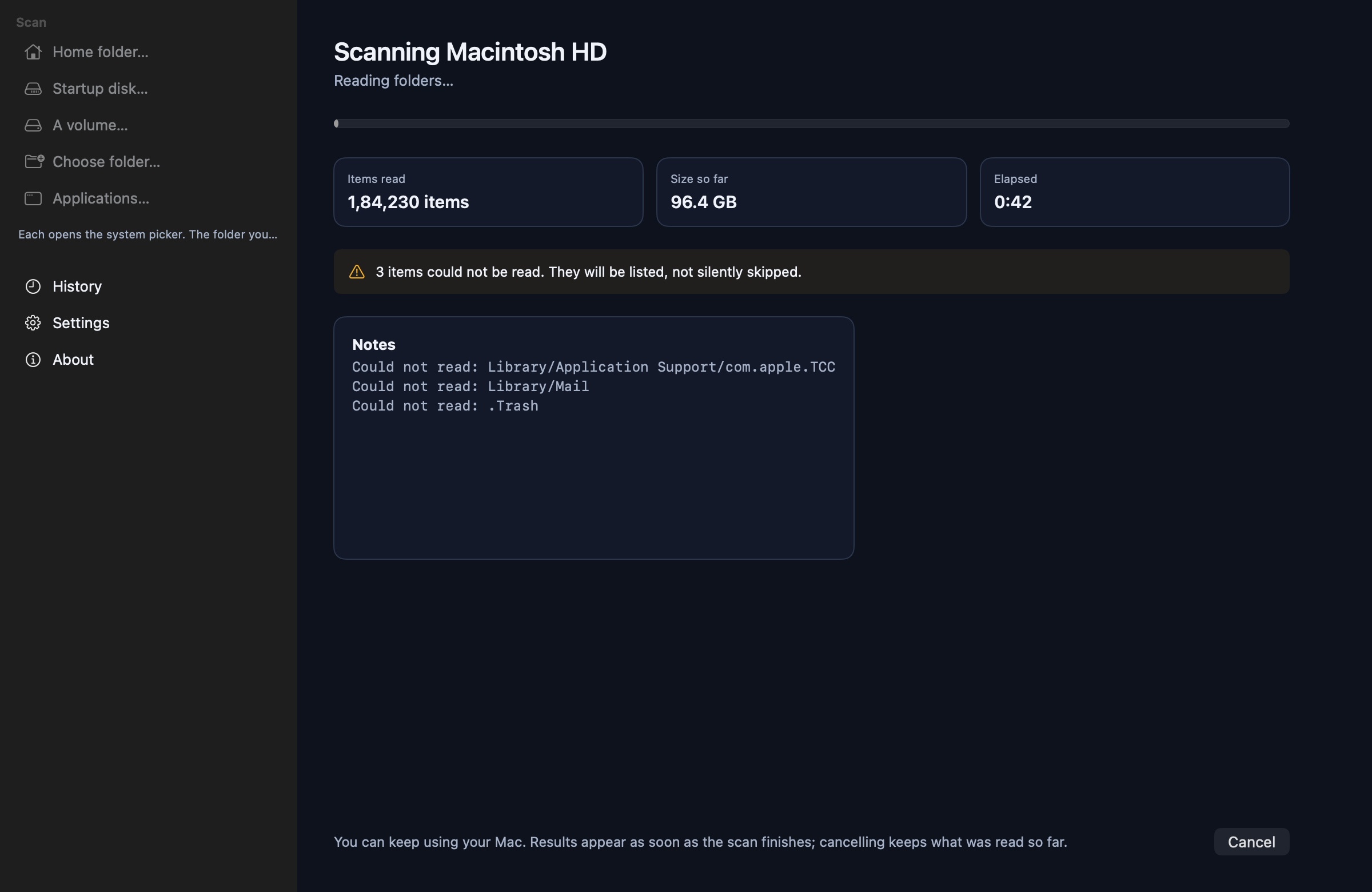
- Folders macOS will not let the app read are counted and labelled, never treated as empty
- A cancelled scan is marked partial and its totals presented as a lower bound
- Packages such as .app bundles are shown as one item, the way Finder shows them
13
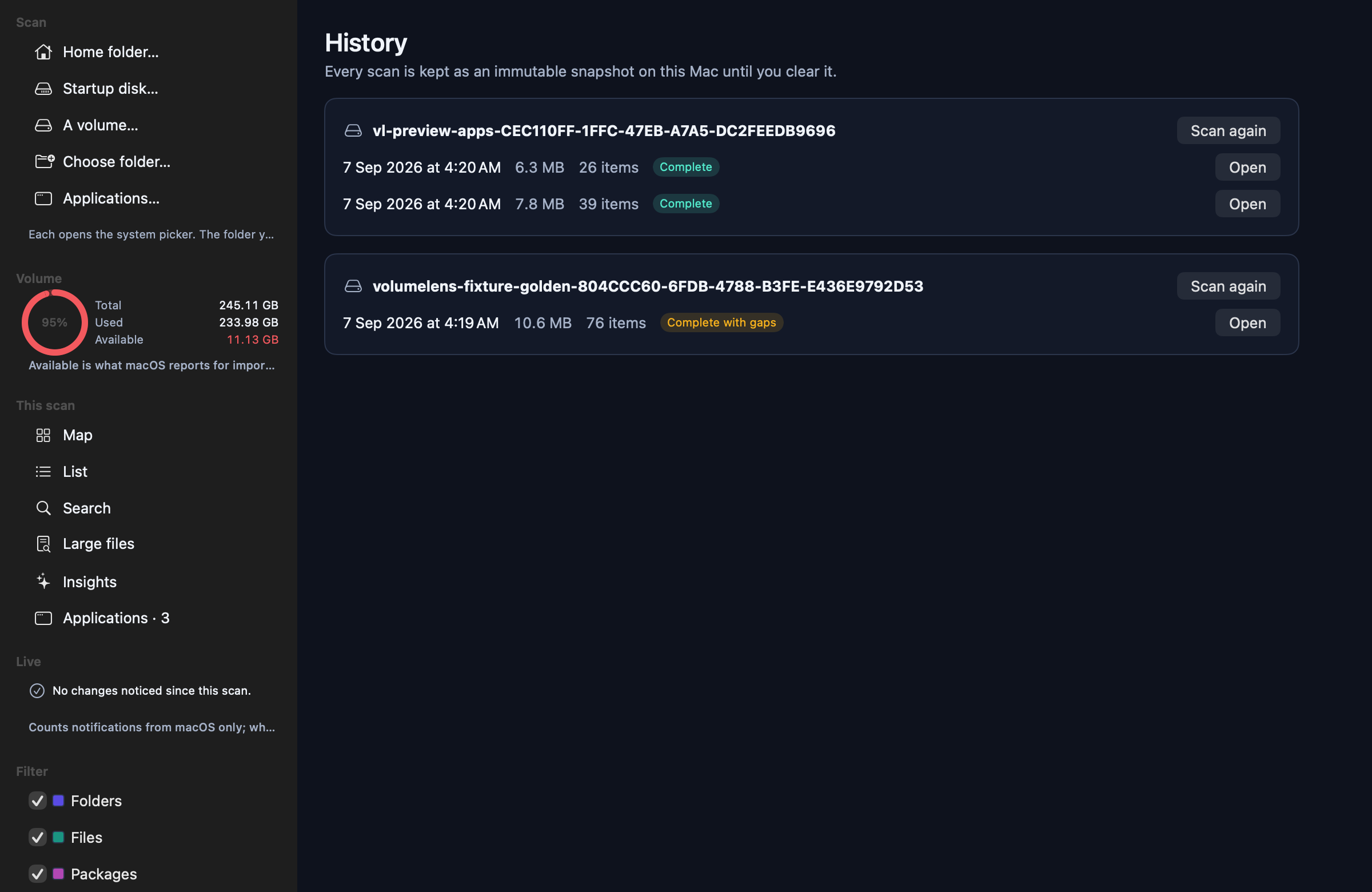
History and repeat scans
Every scan is kept as an immutable snapshot until you clear it.
- Compare a folder before and after a cleanup
- Reopen any past snapshot, or rescan a location in one click
- The cleanup log records every move with its result
- Clear all local data at any time from Settings
14
Privacy and control
The privacy claim is small enough that you can check it yourself.
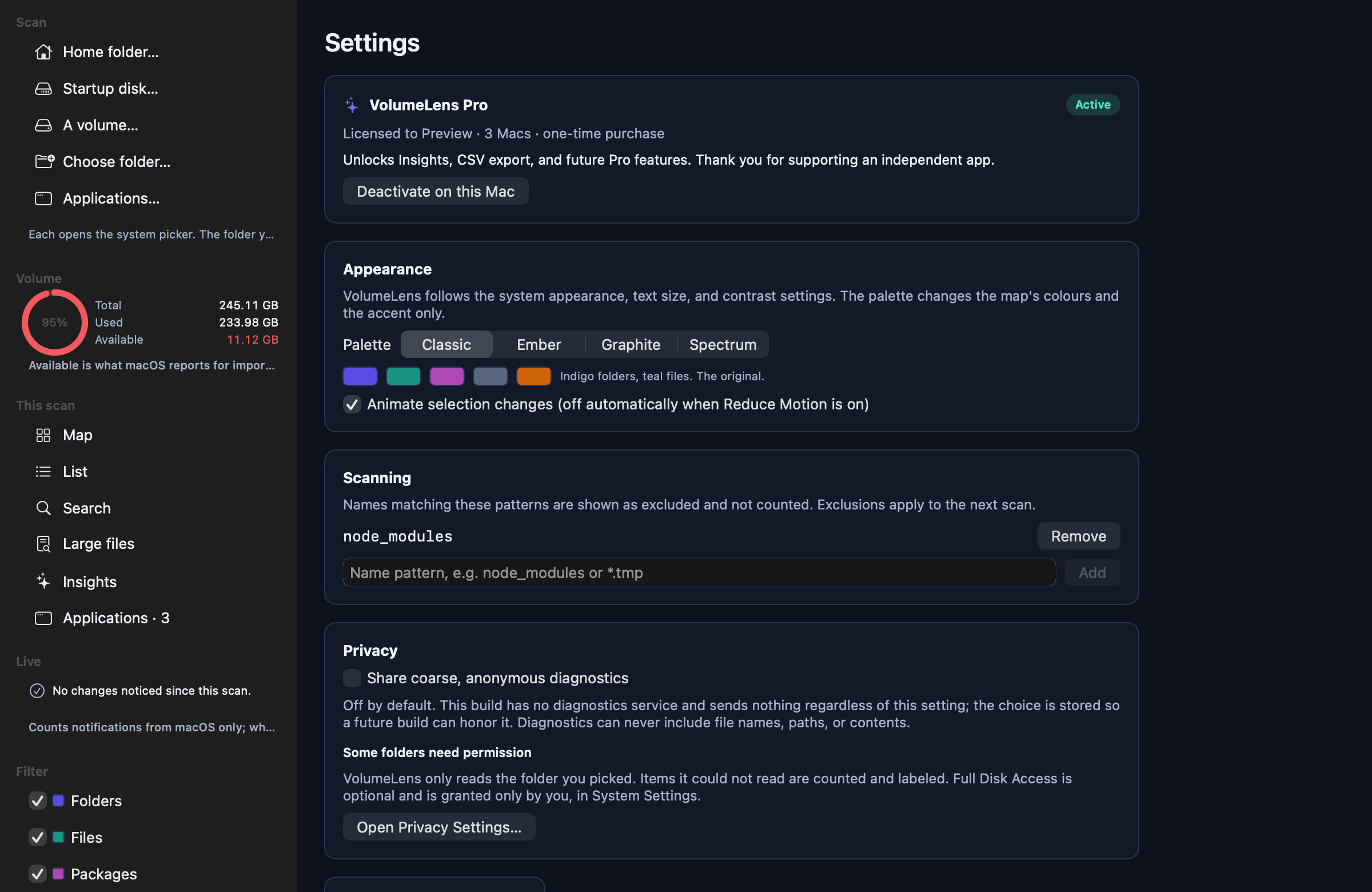
- No account, no sign-in, no sync
- No network code in the app: it works with Wi-Fi off
- Diagnostics are off, and this release sends nothing regardless of the setting
- Exclusion patterns keep chosen folders out of future scans
- Runs in the App Sandbox with access only to the folder you picked
- One local database, which you can delete from Settings whenever you like
What VolumeLens deliberately does not do
A short list, because saying no is part of the design.
No one-click “clean my Mac”
Bulk automatic cleanup is how people lose work. Every removal is chosen and reviewed.
No permanent deletion
The Trash is the only destination. Emptying it stays your decision, in Finder.
No privileged helper
Nothing installs a background daemon or asks for your admin password.
No claims about speed or memory
VolumeLens measures storage. It will not promise to make your Mac faster.
No malware or security scanning
It is a storage tool and says so.
No file contents
The scanner reads names, sizes, dates and kinds and never opens a file. The one exception is named: the Applications screen reads each app's Info.plist for its identifier, and nothing else.