Works offline · No account · Nothing uploaded
See what's taking yourMac's space —large files
Point VolumeLens at a folder or a whole volume. It maps where the space actually went, explains the usual suspects, and moves only what you choose to the Trash.
Free to scan, browse, search and clean up · macOS 14 Sonoma or later · Pro is ₹999$12, once

- bytes uploaded — there is no network code in the app
- 0
- bytes uploaded — there is no network code in the app
- payment, ever — Pro is a one-time licence
- 1
- payment, ever — Pro is a one-time licence
- files deleted — Trash only, after your review
- 0
- files deleted — Trash only, after your review
Nothing leaves your Mac
There is no network code in the app. No account, no sync, no telemetry. Turn off Wi-Fi and every feature still works.
Nothing is deleted
The only action is Move to Trash, after a review sheet that lists exactly what will go. Restore from the Trash until you empty it.
Numbers you can trust
Hard links counted once. Sparse and compressed files flagged. Folders macOS won't let us read are counted, not silently zeroed.
Insights recognises where Mac storage typically goes
How it works
Three steps, and you stay in control at every one
No wizard, no automatic sweep, no surprises.
01
Choose a folder
macOS asks you to pick it. That choice is the permission — VolumeLens can only read where you point it, and only names, sizes and dates.
02
Read the map
Folders are drawn as containers holding their own contents. Hover for detail, double-click to go deeper, zoom into a crowded corner, or switch to the list.
03
Move what you choose
Select one item or many, review exactly what will go and what is blocked, then send it to the Trash.
The map
Structure, not a wall of boxes
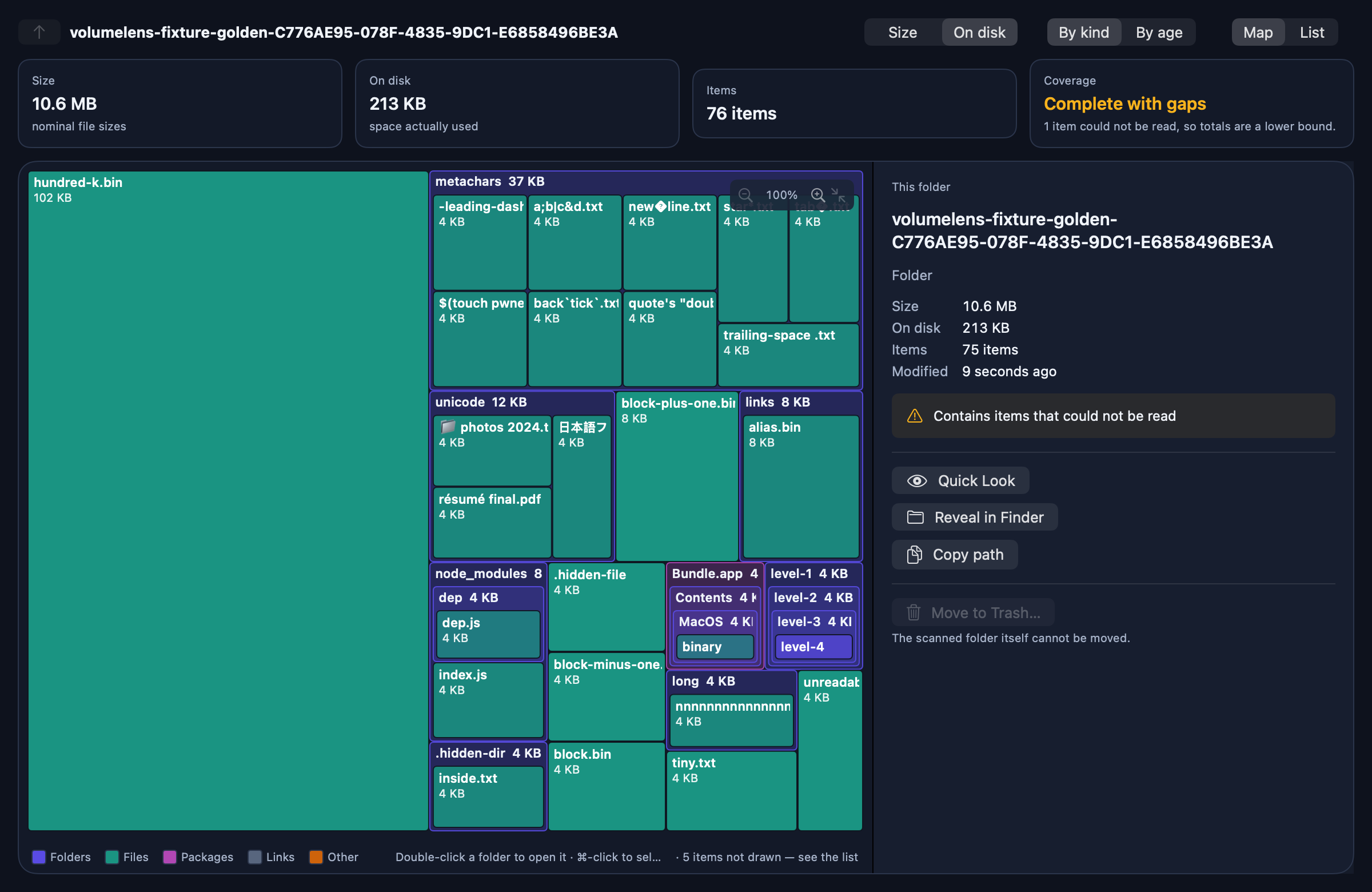
Most storage tools flatten a folder into one layer of rectangles. VolumeLens draws folders as containers, so you see how a project is actually shaped before you touch it.
- Four levels of nesting at once, each labelled with its name and size
- Hover any cell for kind, size, item count and where it sits
- Pinch or ⌘+ / ⌘− to zoom, then scroll to pan
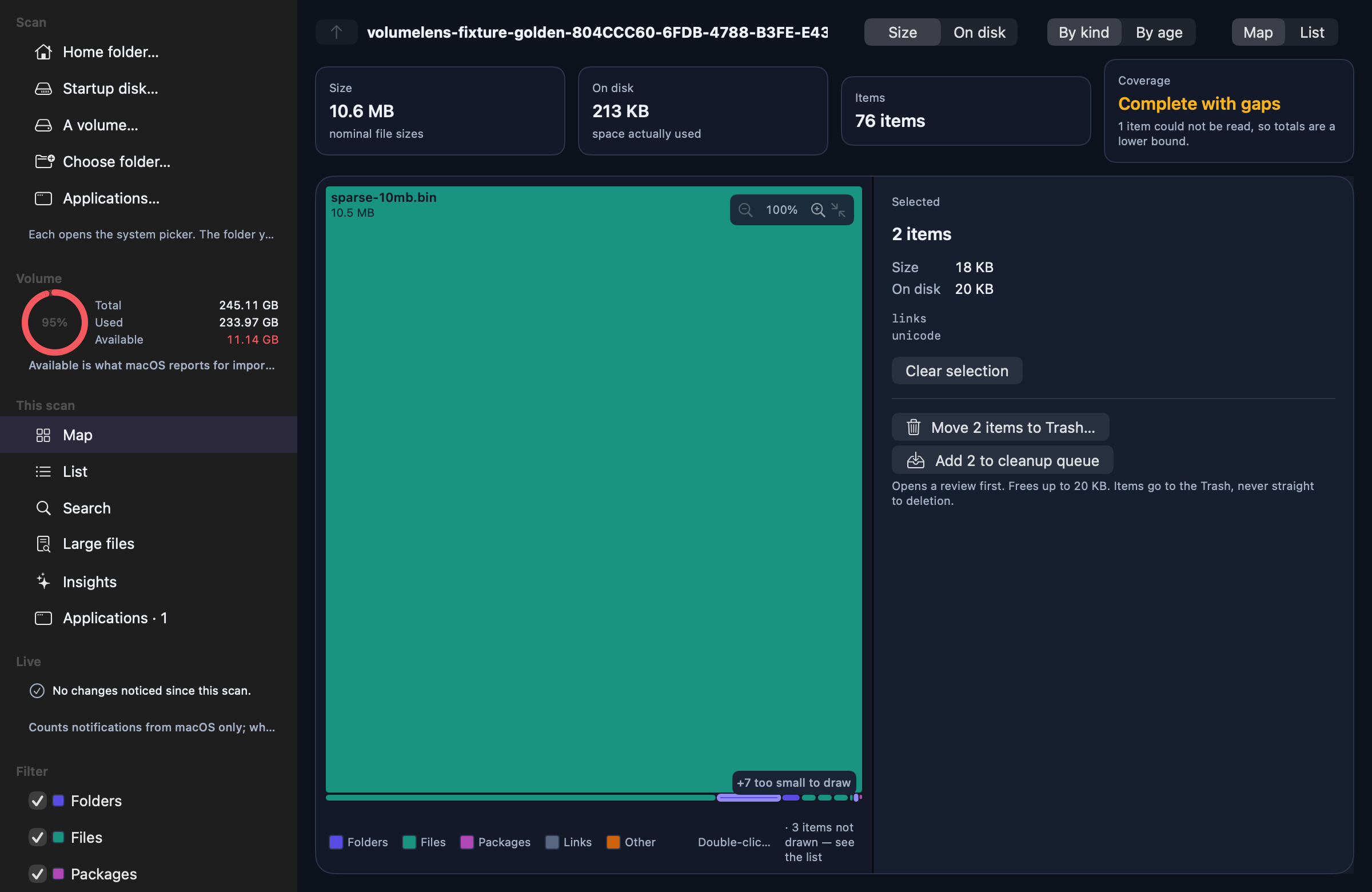
- ⌘-click to select several items and act on them together
- Colour by kind or by age; measure by size or by space used on disk
Insights · Pro
The usual suspects, explained
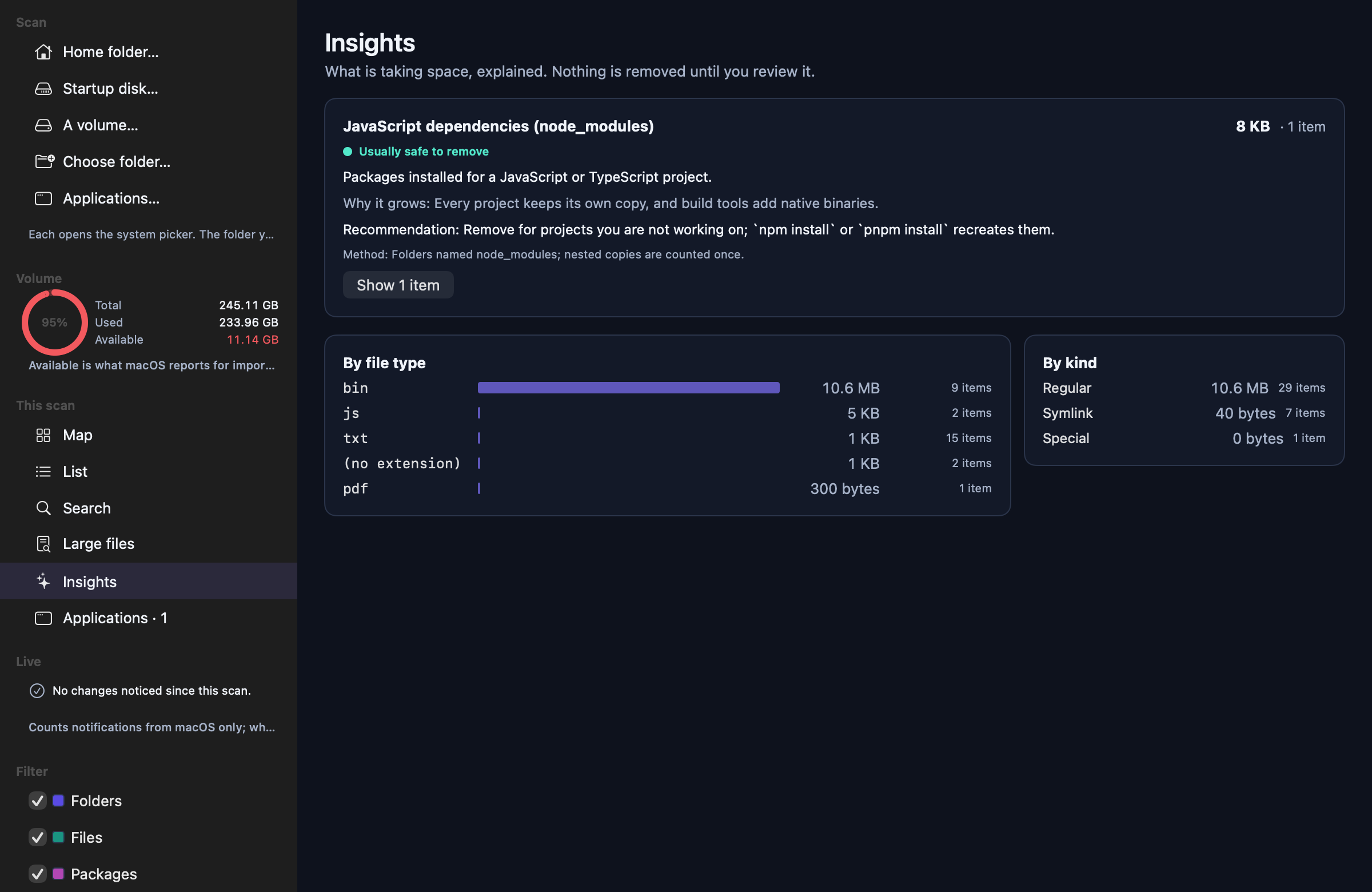
A pass over your scan that recognises where Mac storage typically goes — and tells you what each thing is before you touch it.
- Dependency folders, build output and Git history
- Xcode DerivedData, archives, device support and simulators
- Caches for Homebrew, npm, pnpm, pip, Cargo, Gradle, Maven, CocoaPods
- Docker's disk image, VM disks, installers and large video
Every card says what it is, why it grows, how it was matched, and how risky removal is. High-risk items are explained but never offered for one-click removal.
Safety
Careful by construction
The safety rules are in the code, not in the marketing copy.
Re-checked before anything moves
Files change between a scan and a decision. VolumeLens re-reads each item immediately before moving it and refuses anything whose identity, size, kind or timestamp no longer matches.
Places it will not touch
System locations, installed applications and sensitive Library folders like Mail and Keychains are blocked with an explanation. So is the inside of a package.
No helper, no hidden access
It runs in Apple's App Sandbox with read access only to what you selected. No privileged helper, no background daemon, no admin password.
A log you can check
Every move is recorded on your Mac with its outcome, including the ones that were refused and why.
Pricing
Pay once. Keep it.
VolumeLens is not a subscription and never will be. The free version is a complete storage analyser, including cleanup.
Questions people ask first
Does it upload anything?
Will it delete something I need?
Is it a subscription?
Why are my totals different from Finder?
Who makes it?
Find out where it all went.
Free to scan and clean up. Pro adds Insights and CSV export for ₹999$12, once.